12. Attendance
Story
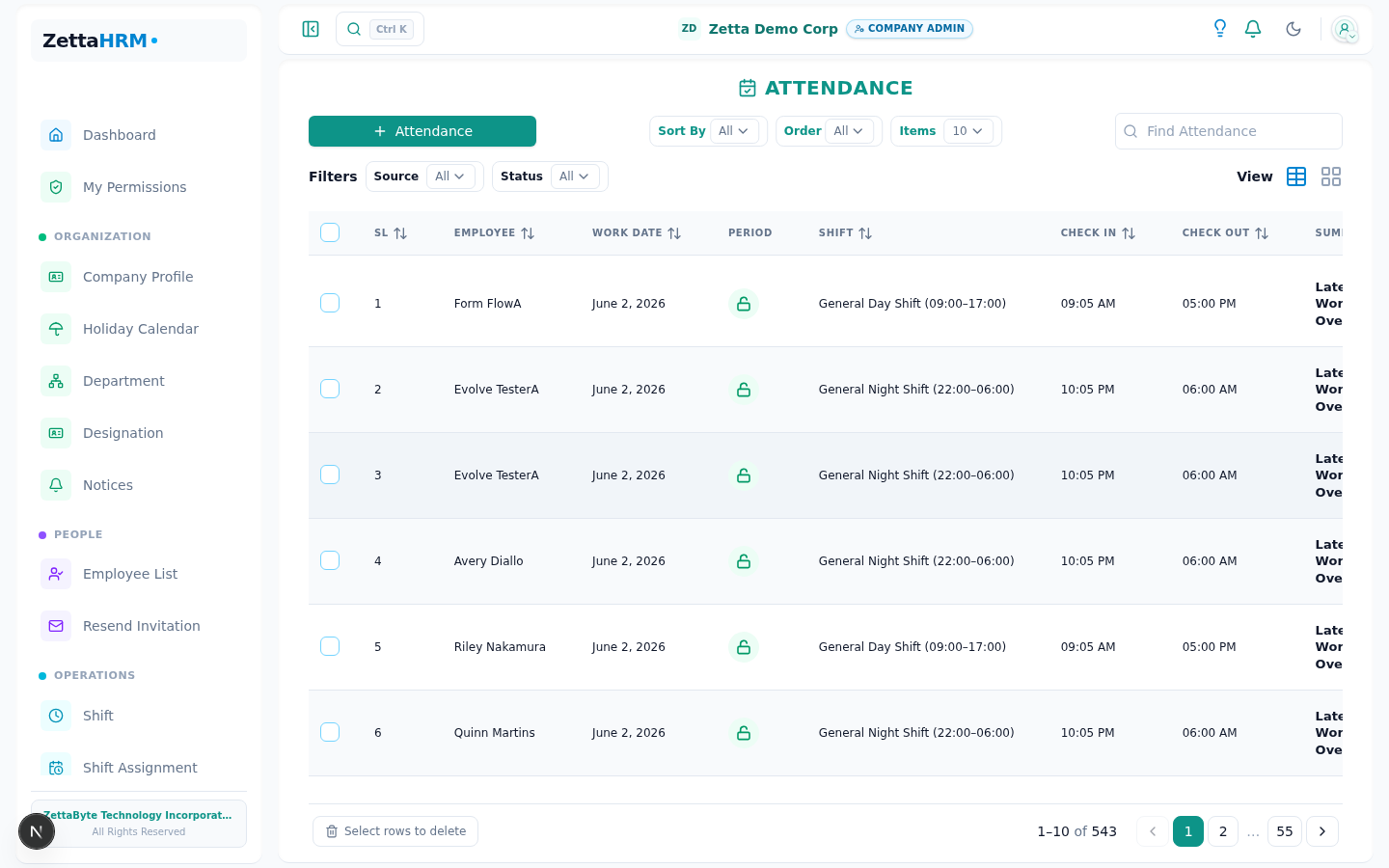
Daily operations are now fully active, and employees begin using the attendance system for regular check-ins, check-outs, and daily time tracking across the organization.
Attendance records flow in from manual entries, web check-ins, and biometric devices while the system automatically applies shift rules, grace periods, overtime policies, and attendance validations.
Happy Path
Attendance events are captured successfully throughout the workday, allowing the system to calculate working hours, overtime, and attendance status automatically.
- Employees check in and check out successfully during assigned shifts
- Biometric devices automatically sync attendance punch events
- Shift windows, grace periods, and attendance policies apply automatically
- Attendance status updates instantly in employee and manager dashboards
- Working hours and overtime calculations are generated in real time
- Approved overtime flows directly into payroll calculations
Regularization (Fixing the Record)
Real workplaces miss punches — a forgotten check-in, a dead biometric reader, a day spent off-site. Instead of letting an admin silently rewrite the timesheet, Zetta routes every correction through regularization: the employee requests the fix, and a manager or HR approves it before the record changes.
This keeps the attendance log honest. Nothing is edited in place without a request, a reason, and an approval — so the record that reaches payroll has a clear trail behind every change.
- The employee opens a regularization request for the affected date, entering the check-in/check-out times they should have had and a brief reason
- One request per date — multiple corrections cannot stack on the same day
- Future dates are rejected; only days that have already happened can be regularized
- Dates inside a locked (already-processed payroll) month are blocked, so settled pay never shifts underneath a run
- The request goes to a manager or HR for approval, and the employee tracks its status from their own view
- On approval, the attendance record updates automatically and the change is captured in the audit trail
Failure Modes
| Failure | What the user sees | What happens next |
|---|---|---|
| Employee attempts duplicate check-in | "Already checked in" | Wait for check-out before creating another check-in |
| Employee attempts duplicate check-out | "Not checked in" | Verify active attendance session before check-out |
| Check-in attempted from non-whitelisted IP address | Attendance blocked or flagged based on policy | Retry from an approved network location |
| Check-in occurs outside allowed shift window | Late or early attendance flag generated | Attendance recorded with applicable policy result |
| Employee has no assigned shift | Company default attendance policy applied | Assign dedicated shift if required |
| Attendance recorded during holiday or weekend | Marked separately from regular attendance | Apply overtime or special-day policy if applicable |
| Biometric device becomes unavailable | Attendance synchronization interrupted | Use manual attendance fallback until device reconnects |
| Overtime exceeds configured legal or company limit | Warning displayed to administrators | Review and approve overtime manually if necessary |
| Employee exempt from overtime eligibility | Overtime calculation skipped | Attendance processed without overtime computation |
Edge Cases
| Scenario | Behavior | Why |
|---|---|---|
| Employee works overnight shift from 22:00 to 06:00 | Attendance remains tied to the original check-in date | Maintains accurate overnight shift calculations |
| Employee performs multiple check-ins and check-outs in one day | All valid attendance pairs are tracked separately | Supports split shifts and temporary exits |
| Employee arrives within configured grace period | Attendance is not marked as late, records zero late minutes, and no payroll deduction can follow | The shift's grace is the single allowance, and it decides only whether the day is late |
| Employee arrives one minute after the grace period ends | The whole allowance is forfeited and the late minutes are counted from the shift's start — 9:16 on a 9:00 shift with 15 minutes of grace records 16, not 1 | Grace is kept or lost, never partially spent, so the recorded number always answers "how long after the shift began" |
| Employee leaves before scheduled shift completion | Early departure flag affects worked-hour calculation | Maintains attendance accuracy |
| Attendance record is missing either check-in or check-out | Record remains incomplete and requires administrative review | Prevents incorrect payroll calculations |
| Employee has no punch and no approved leave on a working day | The day is marked ABSENT automatically the next morning | Absences settle quickly instead of lingering unresolved, so payroll and reports read true |
| Administrator manually corrects attendance records | Forced attendance updates are stored with audit logs | Preserves accountability and change history |
| Attendance uploaded through bulk CSV import | Import flow validates and processes attendance entries in batches | Supports operational bulk updates |
| Weekend or holiday overtime uses different pay rates | Configurable overtime multipliers apply automatically | Supports flexible overtime compensation rules |
| Only part of submitted overtime is approved | Overtime approval can be managed per attendance day | Supports granular overtime governance |